Smooth, high-resolution scrolling
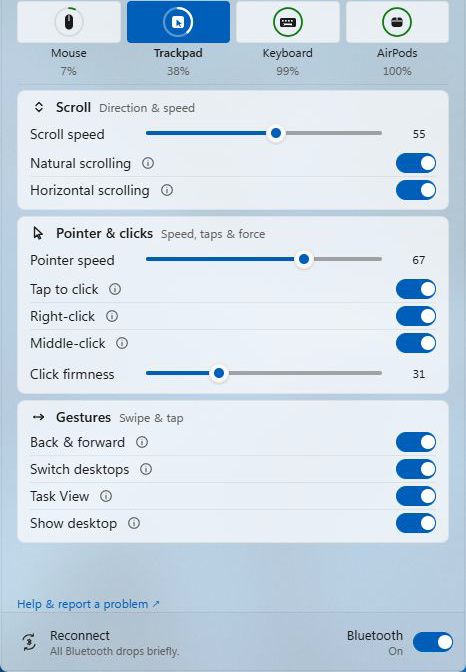
Scrolling on the Magic Mouse surface and with two fingers on the Magic Trackpad moves in steps finer than one wheel notch, with speed and direction settings.
Tenon adds smooth scrolling, gestures, media keys and battery status to supported models, and shows battery levels for AirPods Pro 2 (USB-C).
All Magic Mouse models are now supported. Keyboard support expands to the full USB-C and 2021 Lightning ranges.
Tenon reads the multi-touch data directly from the hardware and turns it into native Windows input.
Scrolling on the Magic Mouse surface and with two fingers on the Magic Trackpad moves in steps finer than one wheel notch, with speed and direction settings.
Switch desktops and navigate back or forward with swipes. Task View uses a two-finger double-tap on the mouse and a three-finger swipe on the USB-C trackpad.
The drivers install with Secure Boot, Memory Integrity and driver signature enforcement left on.
Each device page lists its supported models, settings and limits. Pairing and troubleshooting steps are in the guides.
Smooth scrolling, one- and two-finger swipes and battery status.
Gestures, tap to click and a Click firmness setting on the USB-C trackpad; scrolling, clicking and dragging on the Lightning trackpad.
Media keys, F1–F12 and a setting that makes Command send Control on USB-C and 2021 Lightning Magic Keyboards.
Tenon shows the battery level of each earbud and the charging case. Other AirPods models are not supported yet.
Check AirPods support →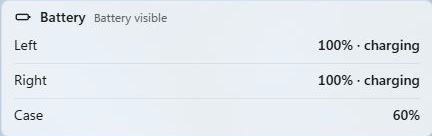
One Pro subscription covers every supported device: US$50 a year or US$90 for two years. Every Pro feature works for 30 days after you install Tenon. The trial needs no sign-in and no card. Tenon vs Magic Utilities →
$0
For supported Magic Mouse, Magic Trackpad and Magic Keyboard models.
$50/yr
Everything in Free, plus:
The installer adds the drivers, the Tenon app, a background service for the trial and Pro, and an AirPods battery watcher.